6Network Representations of Multivariate Associations
6.1 Introduction: From Matrices to Networks
In previous chapters, we computed correlation matrices and visualized associations as rectangular arrays or heatmaps. Yet when many variables are involved, these representations can become difficult to parse. A correlation matrix with 50 variables contains 1,225 pairwise associations, which is more than most of us can comfortably scan at once.
Network representations offer an alternative visual and analytical framework. Instead of viewing all associations at once, networks can highlight meaningful connections while suppressing noise, allowing us to:
Identify clusters of strongly related variables
Detect hub variables that associate with many others
Reveal hierarchical structures in complex data
Quantify network properties that describe overall structure
A network (or graph) consists of:
Nodes: Representing entities (in our case, variables)
This chapter walks through how to transform association matrices into networks, visualize them effectively, and compute network metrics to understand multivariate structure.
6.2 Part I: From Associations to Networks
6.2.1 Thresholding: Creating Sparsity
A correlation matrix for \(p\) variables is typically dense, as nearly every cell contains a value. When we plot this as a network, it creates a hairball of connections, revealing little structure.
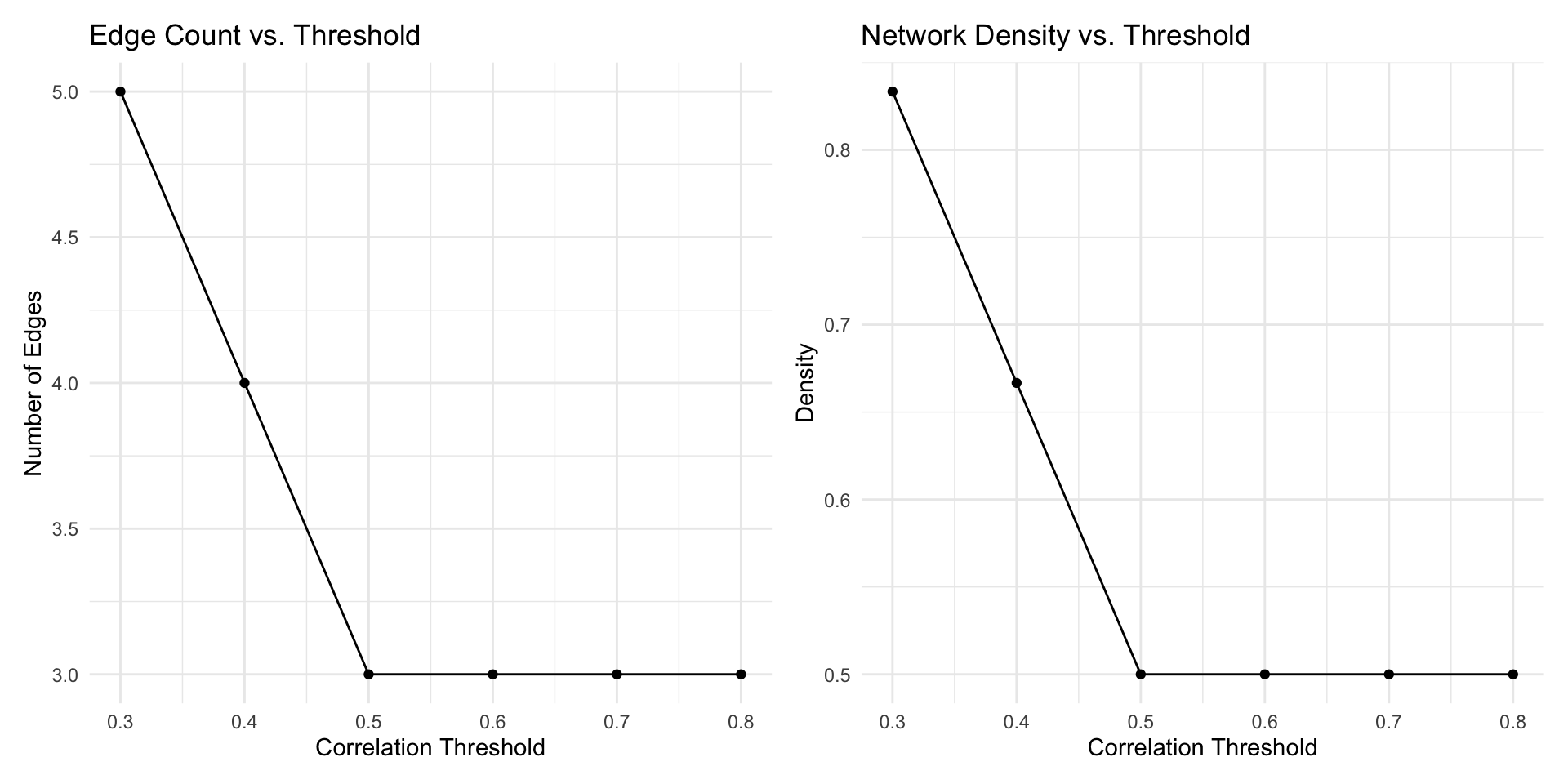
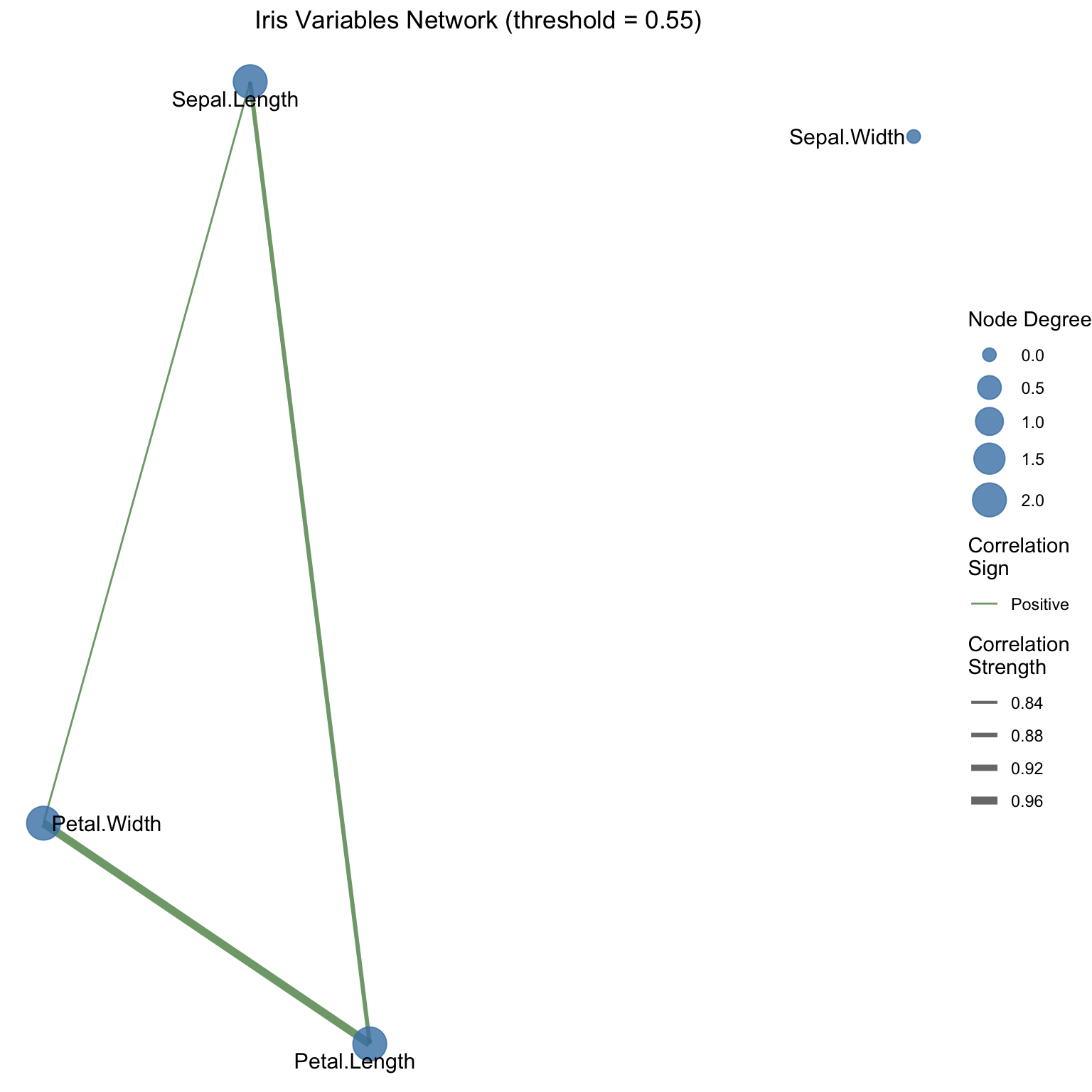
One common solution is thresholding: we retain only associations that exceed some cutoff in absolute value, discarding weaker associations to create sparse networks.
We begin with iris, a classic built-in R dataset with 150 flower observations from three species (setosa, versicolor, virginica) and four numeric measurements (sepal length/width, petal length/width), which makes it ideal for compact association networks.
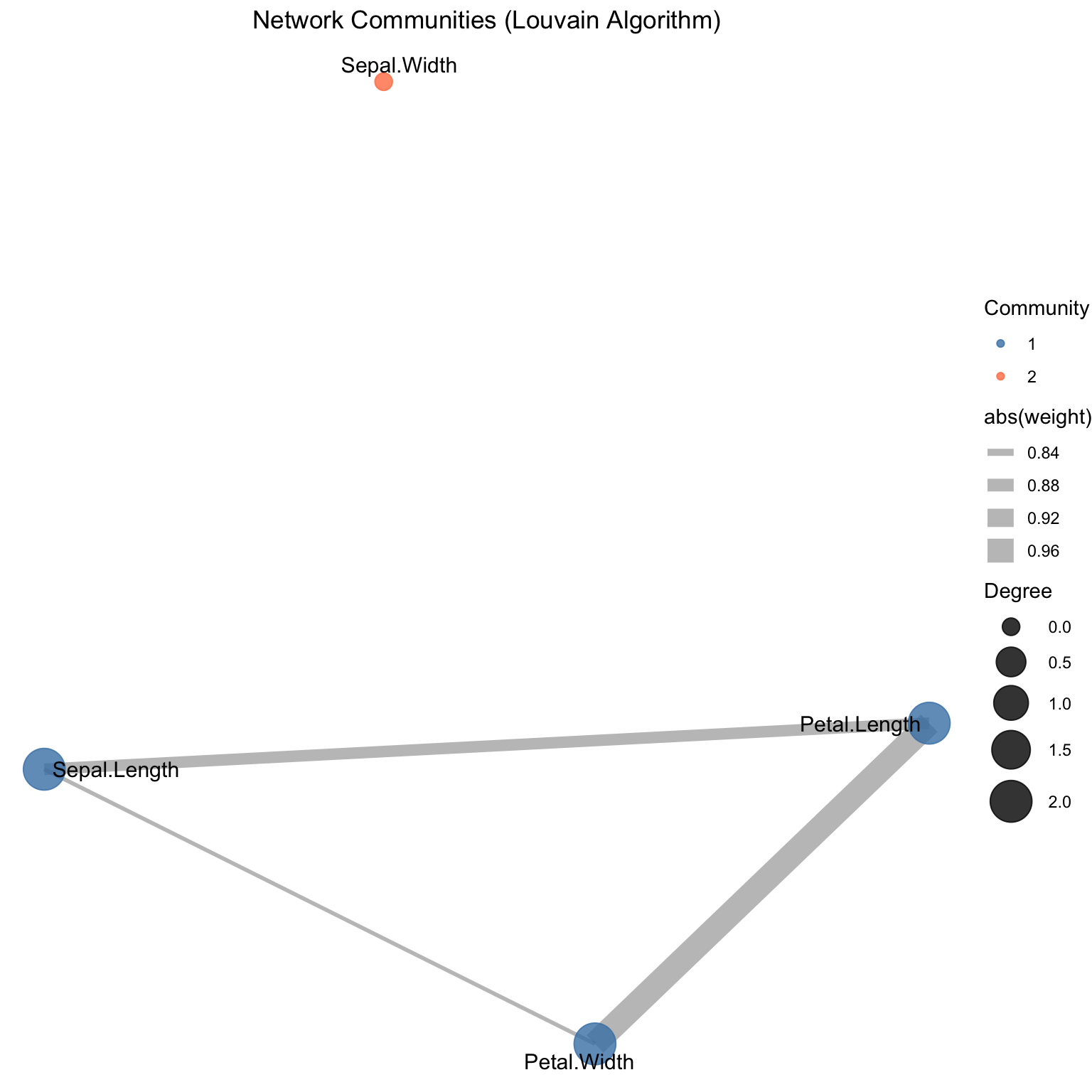
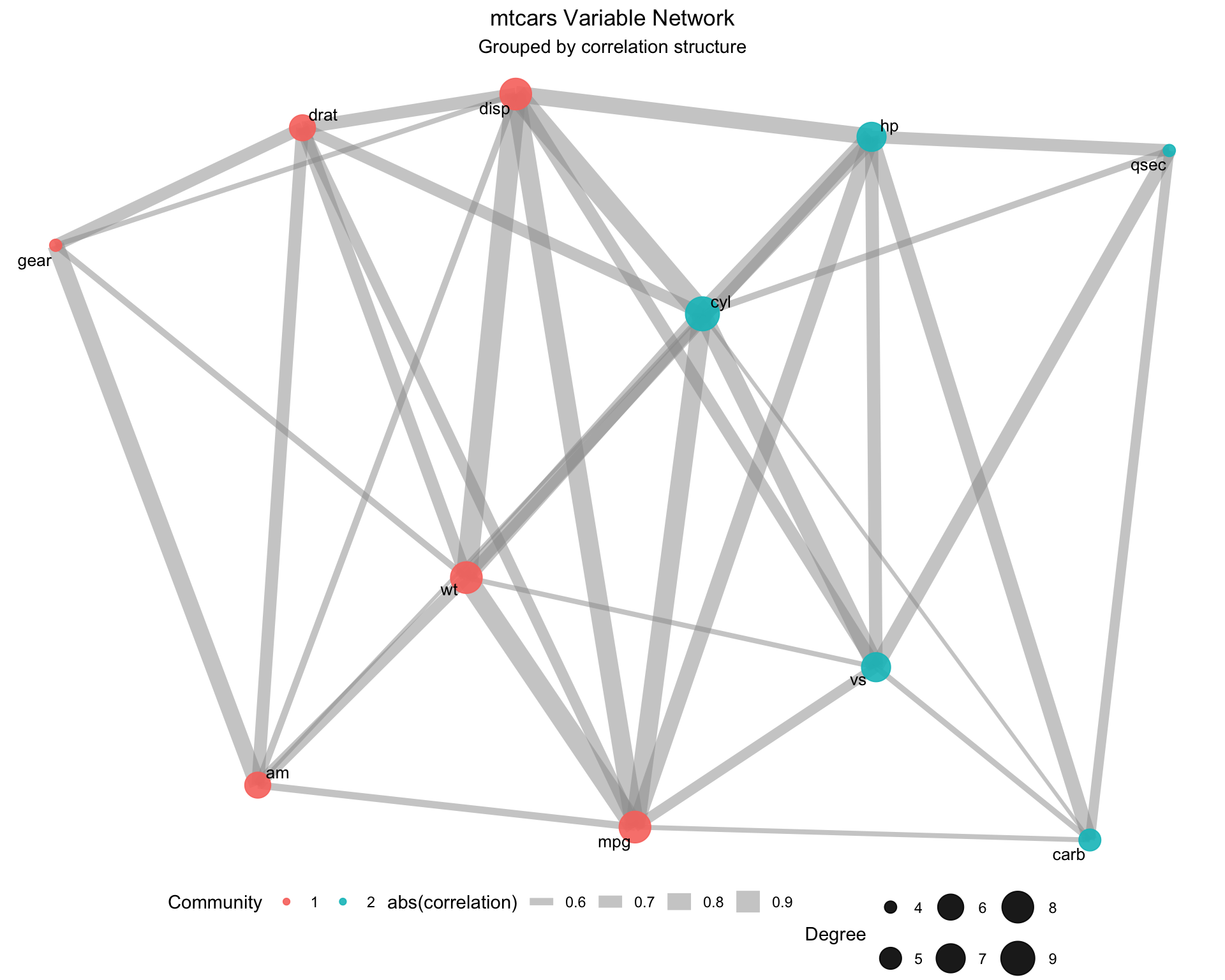
Community detection algorithms partition nodes into groups that are more densely connected within than between groups.
# Detect communities using Louvain algorithmcommunities <-cluster_louvain(net_vis)# Add community membership to networkV(net_vis)$community <-membership(communities)cat("Number of communities detected:", length(communities), "\n")
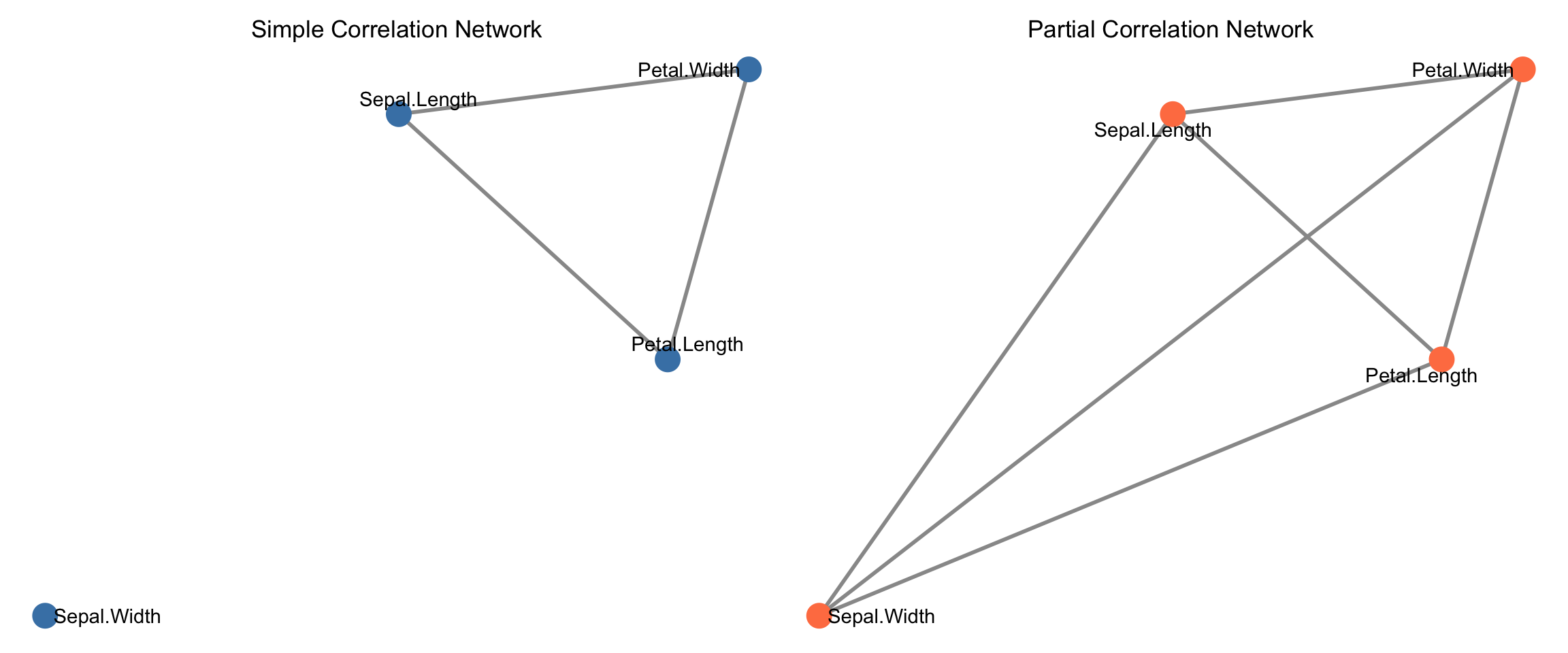
With many variables, simple correlations may be misleading due to confounding. Partial correlations (associations after removing effects of other variables) often reveal cleaner networks.
# Note: Partial correlation computation often uses inverse covariance# For this example, we'll demonstrate the concept with a simplified approach# using residuals from regressioncompute_partial_corr_approx <-function(data) { n_vars <-ncol(data) partial_corr <-matrix(1, n_vars, n_vars)colnames(partial_corr) <-colnames(data)rownames(partial_corr) <-colnames(data)if (n_vars <2) {return(partial_corr) }for (i in1:(n_vars -1)) {for (j in (i +1):n_vars) {# Residuals of X_i after removing effects of other variables x_other <- data[, -c(i, j), drop =FALSE]# Create a data frame with response and predictors for regression df_i <-cbind(data[, i, drop =FALSE], x_other)colnames(df_i)[1] <-"y" fit_i <-lm(y ~ ., data = df_i) resid_i <-residuals(fit_i)# Residuals of X_j after removing effects of other variables df_j <-cbind(data[, j, drop =FALSE], x_other)colnames(df_j)[1] <-"y" fit_j <-lm(y ~ ., data = df_j) resid_j <-residuals(fit_j)# Correlation of residuals partial_corr[i, j] <-cor(resid_i, resid_j) partial_corr[j, i] <-cor(resid_i, resid_j) } } partial_corr}# Compute partial correlationspartial_cor_iris <-compute_partial_corr_approx(iris_numeric)# Create network from partial correlationsthreshold_partial <-0.3adj_partial <- (abs(partial_cor_iris) > threshold_partial) *1diag(adj_partial) <-0net_partial <-graph_from_adjacency_matrix( adj_partial,mode ="undirected",diag =FALSE)# Extract and assign edge weightsedge_list_partial <-as_edgelist(net_partial)edge_weights_partial <-numeric(nrow(edge_list_partial))for (i in1:nrow(edge_list_partial)) { edge_weights_partial[i] <- partial_cor_iris[edge_list_partial[i, 1], edge_list_partial[i, 2]]}E(net_partial)$weight <-abs(edge_weights_partial)cat("\nPartial Correlation Network Properties:\n")
Partial Correlation Network Properties:
cat("Edges:", ecount(net_partial), "\n")
Edges: 6
cat("Density:", edge_density(net_partial), "\n")
Density: 1
Comparing simple vs. partial correlation networks:
Networks transform complexity: Large correlation matrices become interpretable visualizations and metrics.
Thresholding is essential: Choose thresholds that balance information retention with interpretability.
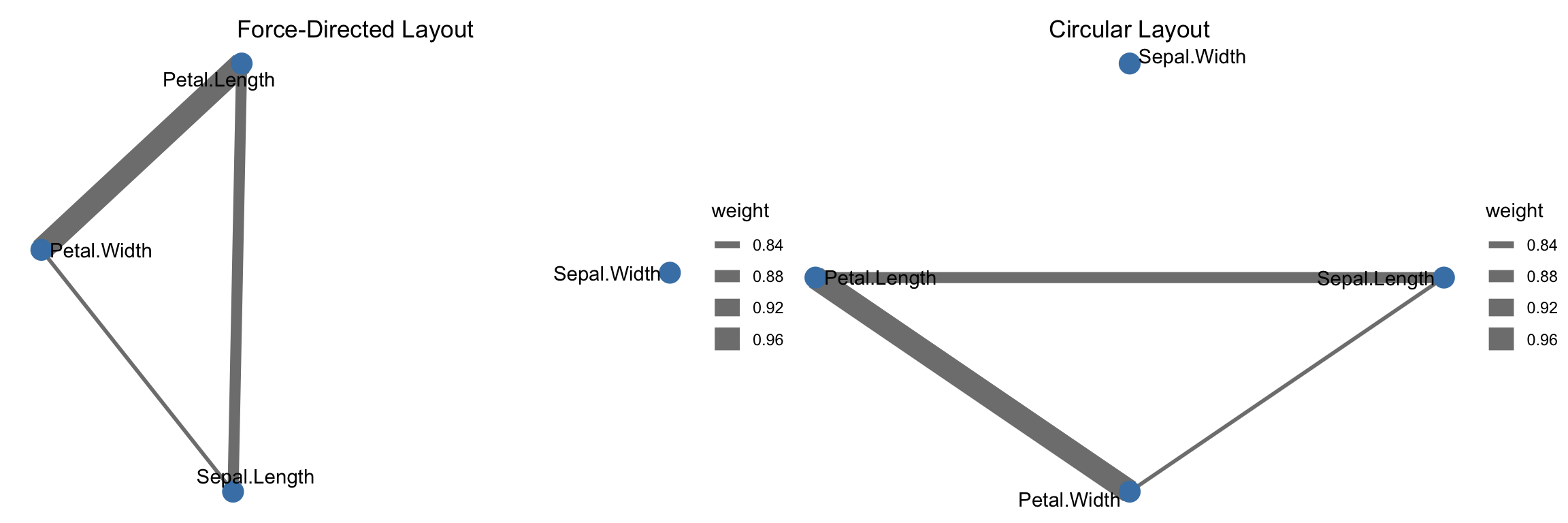
Layout matters: Different graph layouts reveal different structural properties. Force-directed layouts typically highlight clustering.
Centrality measures identify hubs: Variables with high degree or betweenness centrality are important connectors.
Communities reveal natural groupings: Automated algorithms partition variables into clusters with strong internal associations.
Partial correlations remove confounding: Networks based on partial correlations often reveal cleaner, more interpretable structure.
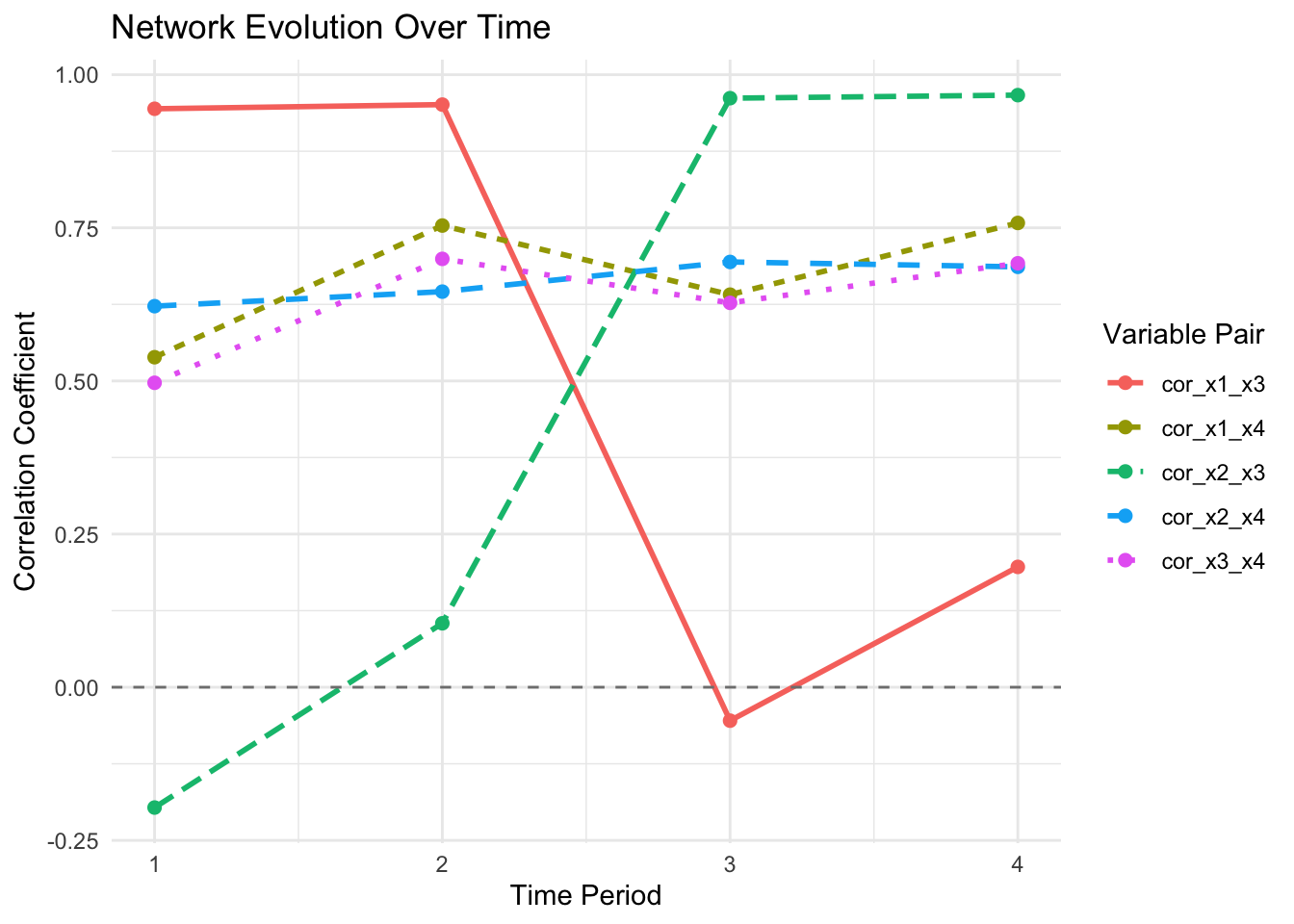
Networks change over time: Tracking network evolution reveals how associations shift across contexts or periods.
6.8 Looking Ahead
With network representations now providing a topological view of associations, we shift from static visualization to interactive exploration. The next chapter introduces Shiny applications that enable dynamic network exploration: hovering over nodes to highlight connections, filtering by community membership, adjusting thresholds in real-time, and comparing networks across subgroups without recomputing layouts. This interactivity transforms networks from publication-ready static images into powerful exploratory tools for discovering patterns that static visualizations cannot convey. Interactive tools amplify our ability to interrogate high-dimensional data structures and communicate findings effectively to diverse audiences.